



The role of two-factor authentication in developer security
Two-factor authentication (2FA) is one of the simplest ways for developers to protect their accounts and the software they ship. This guide covers why it matters, which methods to choose and how Hide Expert VPN complements it.
Why developer accounts need two-factor authentication
A developer's account on a code hosting platform is more than a login. It can push code used by many people, publish packages, change CI/CD settings and read secrets. An attacker who takes it over can slip malicious code into the software supply chain without breaking into a single server.
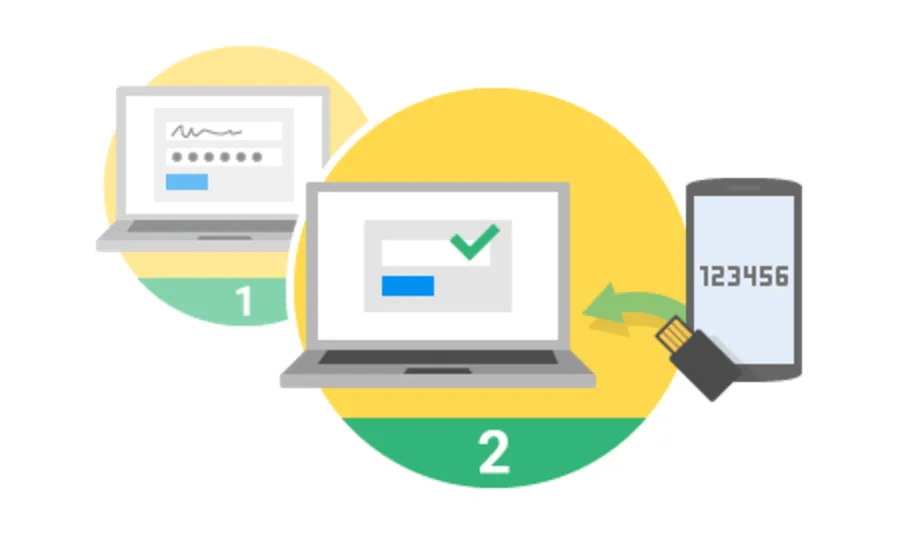
Passwords alone are a weak barrier. They get reused, phished and leaked, and many popular passwords can be hacked in seconds. 2FA adds a second proof of identity, such as a code from your phone or a hardware key, so a stolen password alone isn't enough.
Making 2FA the norm for developers
Code platforms have moved from encouraging 2FA to requiring it – GitHub, for example, began requiring two-factor authentication for accounts that contribute code in 2023. In a video interview with Information Security Media Group at Black Hat USA 2023, John Swanson, Director of Security Strategy at GitHub, argued that 2FA should be normalized in the developer community until it becomes an almost universal practice.
Developers have historically had mixed feelings about multifactor authentication, often seeing it as friction that slows their work. Swanson pointed out that a developer's account often represents their livelihood, so losing access through a misconfigured factor or lost recovery codes can have severe consequences. That is why GitHub has focused on making second factors more durable and resilient, so stronger security doesn't mean a higher risk of lockout.
Choosing your second factor
Not every method offers the same protection:
- Security keys (FIDO2/WebAuthn hardware keys) are phishing-resistant, because they only respond to the real website. Register at least two in case one is lost.
- Passkeys are also phishing-resistant and work with your device's biometrics or PIN. Support keeps growing, with password managers adding passkeys across platforms.
- Authenticator apps (TOTP) generate codes on your phone. They are a solid choice, though codes can still be typed into a fake login page.
- Mobile push approvals are convenient, but read every prompt before approving it.
- SMS codes are the weakest option because of SIM swapping and message interception. Use them only as a fallback.
How to set up 2FA without locking yourself out
- Register at least two factors, for example a security key and an authenticator app, so one lost device doesn't lock you out.
- Save recovery codes in a password manager or on paper, not in a repository or a text file on the same laptop.
- Move your authenticator before changing phones, and confirm it works before wiping the old device.
- Keep account recovery options current, including a verified backup email address.
- For teams, enforce 2FA at the organization level or through single sign-on with federated identity. Document the recovery process in advance – good preparation means fewer lockouts and support tickets.
What 2FA does not cover
2FA protects the login, but developers use other credentials that don't pass through it:
- Personal access tokens and API keys. Use fine-grained tokens with the minimum scope and an expiry date, and never commit them to code.
- SSH and signing keys. Protect them with passphrases or hardware keys, and remove keys you no longer use.
- Session cookies. Malware on a laptop can steal an active session and reuse it after you have already passed 2FA, so keep devices updated and scanned.
- CI/CD secrets. Store them in a secrets manager and limit which workflows can read them.
If a token or account is ever exposed, act fast: securing applications after a cyberattack starts with rotating secrets, reviewing access and verifying builds.
Protect the connection, too
2FA secures the account, and encryption secures data in transit. When you push code or sign in over public Wi-Fi at a conference or coffee shop, a VPN encrypts traffic between your device and the VPN server. Hide Expert supports WireGuard, OpenVPN, IKEv2 and VLESS Reality, with apps for all major platforms.
FAQ
Does two-factor authentication slow developers down?
Only slightly. Security keys and passkeys often take less time than typing a code, and you usually need the second factor only when signing in on a new device or after a session expires.
Is SMS 2FA better than nothing?
Yes, but it is the weakest method because of SIM swapping. Switch to an authenticator app, passkey or security key when you can.
Conclusion
Two-factor authentication is now a baseline for developer security, not an optional extra. Choose phishing-resistant factors, register a backup, keep recovery codes safe and protect the tokens and keys that 2FA doesn't cover.